![New_Centercode_Logo.png]](https://help.centercode.com/hs-fs/hubfs/New_Centercode_Logo.png?height=35&name=New_Centercode_Logo.png)
Table of Contents
- I removed all the project managers from a project. How do I get back in?
- Why are my applicants not seeing the correct project name on their community homepage?
- How do I move a project into another program?
- What is the best way to bulk add a list of users to a team via email address?
- How do I modify a project name?
I Removed All the Project Managers from a Project. How Do I Get Back In?
Don't worry — Centercode automatically prevents removing the very last project manager from a project. To regain access, find who the remaining project manager is, then either have them reinvite your PM team or assume their account and invite your team yourself.
To find the remaining project manager:
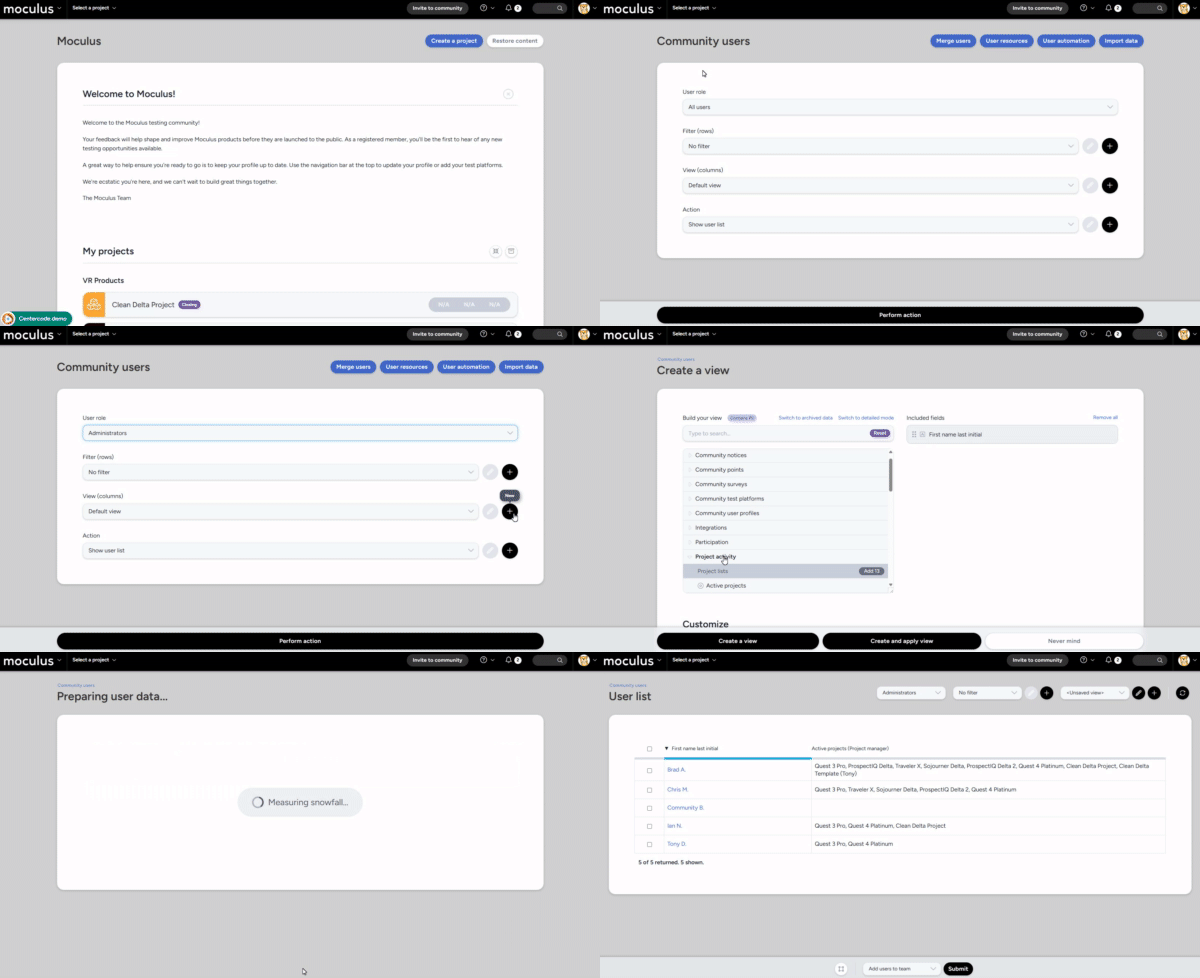
1. Navigate to Community menu > Community management > Users.
2. Change the User role drop-down to Administrators.
3. Click the + icon in the view row to create a new view.
4. Navigate to the Project activity data set and double-click Active projects (Project manager) to add it to your view.
5. Click Create and apply view.
6. Hover over a user who is a PM in the relevant project and click Assume to assume their account.
7. Reinvite any admins who were accidentally removed.
Why Are My Applicants Not Seeing the Correct Project Name on Their Community Homepage?
Users who haven't yet joined the project, or who are only on an Applicant team, won't see the project codename until they've been added to a Participant team. Until then, they see the landing page title from the Project Recruitment they have access to. This is by design — it lets you use an internal codename that isn't revealed until participants are selected.
For more information on project recruitments and landing pages, see the Centercode Recruiting Overview.
How Do I Move a Project into Another Program?
If you need to realign your project with a different program:
1. Click Management > Project configuration > Project settings in the upper navigation bar.
2. Click the Program drop-down and select your program.
3. Click Submit to move your project into the chosen program.
What Is the Best Way to Bulk Add a List of Users to a Team via Email Address?
If you have a list of email addresses for existing users in your platform, use the Import function on the Team Management screen to add them all to a team at once.
How do I modify a project name?
If you need to modify the name of your Project you can do so by following the simple steps below:
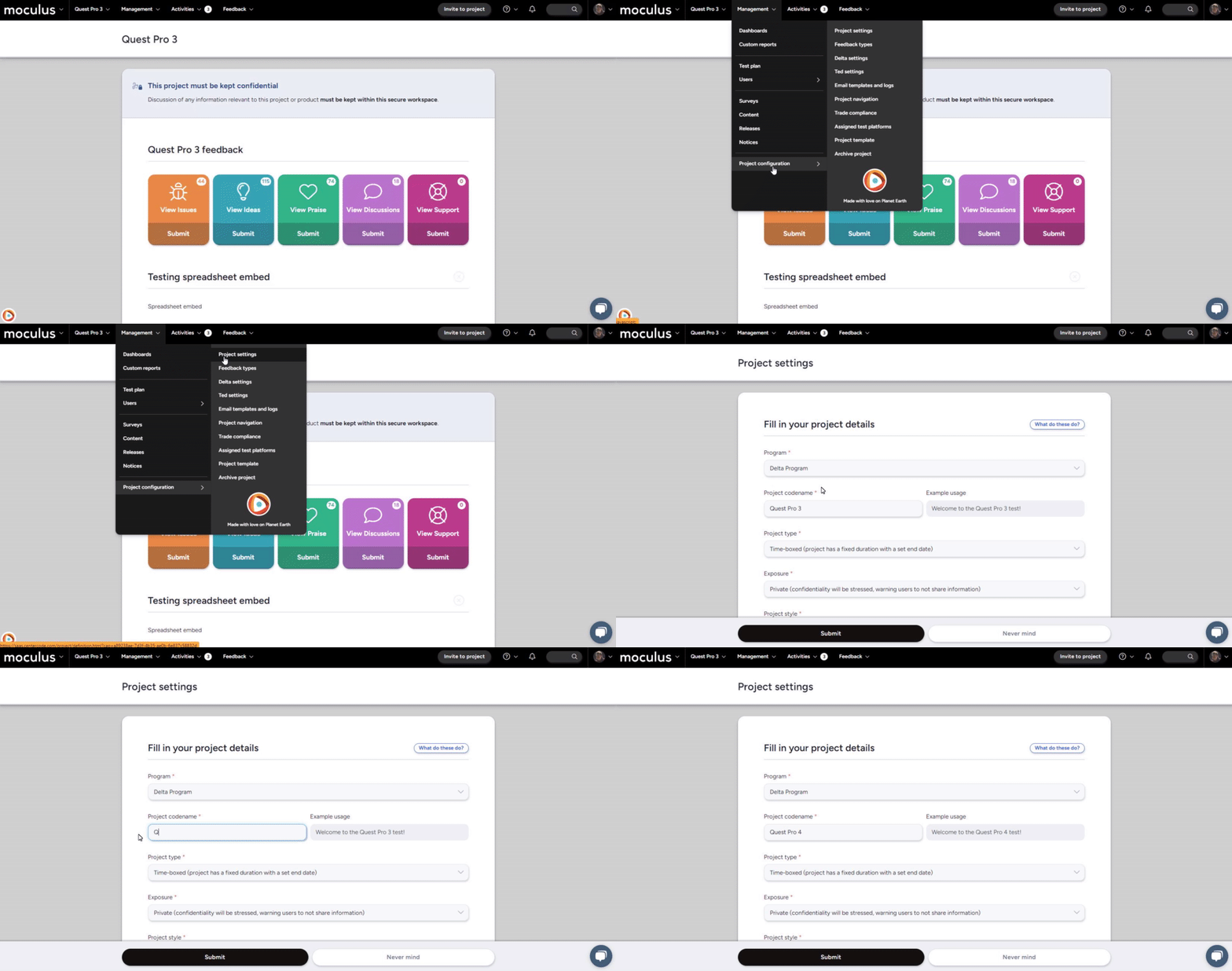
From the Project Home:
- Use the navigation bar on the top to select:
Management->Project configuration->Project settings - Modify the Project codename field as desired.
- Click the Submit button at the bottom of the page.
You have successfully modified a Project Name.